¶ Delivery cost calculation
Our bots automatically calculate the delivery cost based on the delivery method and the client's address.
¶ Delivery zones
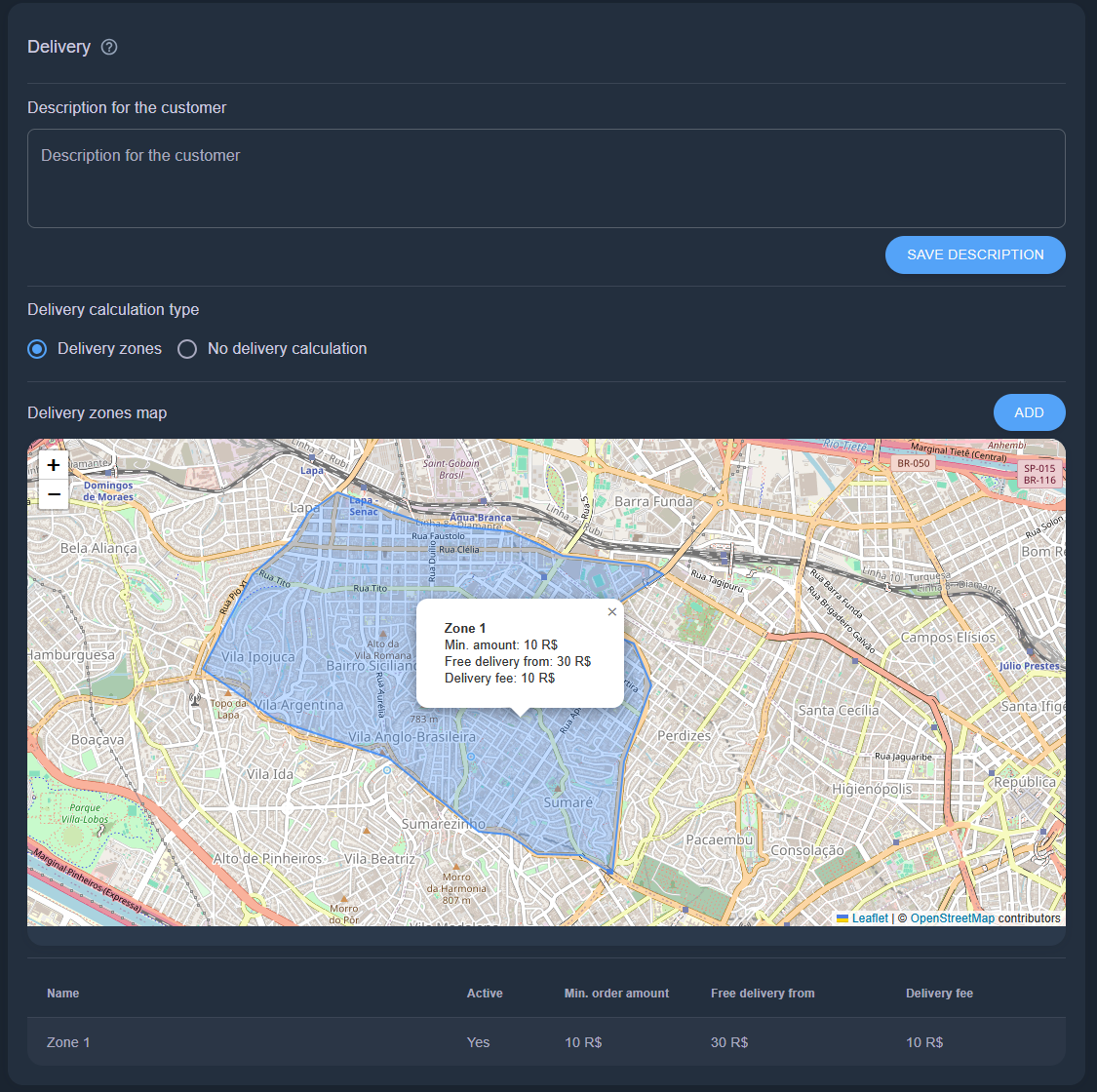
If you have your own delivery service, delivery zones are the way to go. Split the city into zones and set a delivery price for each district. See the delivery zones page for details on creating them.
¶ Ozon Delivery
Sell through the bot and deliver with Ozon logistics: the client picks an Ozon pickup point on the map or courier delivery, the cost is calculated by Ozon rates, the order is sent to Ozon once confirmed, and the shipment status comes back to your order. Available to sellers from Russia who work with Ozon under the FBS or FBO scheme.
¶ Step 1. Enable Ozon Delivery in the Ozon seller account
In the Ozon seller account open Products → Applications → Ozon Delivery, click "Connect" and fill in the form. The review takes up to 5 business days — wait for the "Connected" status. Without it Ozon rejects delivery requests.
¶ Step 2. Create a private application
The pickup point map, delivery cost and order creation only work through a private seller application — a regular API key is not enough for them.
- In the Ozon seller account open Settings → Private applications and click "Create".
- Enter a name, for example "AppExBots", and select the roles:
seller-api.ozon-logistics,seller-api.posting-fbs,seller-api.posting-fbo,seller-api.product. - Open the application system settings (key icon → "Go to cabinet") and paste the address from the AppExBots account into the "Redirect URL" field: the Delivery screen → Ozon Delivery → "Ozon Delivery connection" block → "Copy address" button.
- Copy the application's
client_idandclient_secret.
¶ Step 3. Connect Ozon in AppExBots
- On the Delivery screen choose the "Ozon Delivery" calculation type.
- Enter the Client-Id and Api-Key (Ozon account → Settings → API keys) — they are used to import products and track shipments — and save the settings.
- In the "Ozon Delivery connection" block paste the application's
client_idandclient_secretand click "Connect". An Ozon page opens — confirm the application access. After returning to the account you will see the "Ozon Delivery connected" status. - Click "Check connection": the account shows whether Ozon Delivery is enabled for the seller and whether the application access is confirmed.
¶ What's next
- Products must be linked to Ozon: click "Import products from Ozon" — missing products are created, existing ones get linked by SKU. If an order contains an unlinked product, Ozon delivery is unavailable for that order.
- Choose when to send the order to Ozon: at checkout, after a successful online payment or when a manager confirms it.
- If the application access is revoked or the application is deactivated, the account shows the "Ozon Delivery is not connected" warning — click "Connect" again.