¶ Shop appearance
Give your bot a unique, beautiful style. The Shop settings page contains several settings tabs
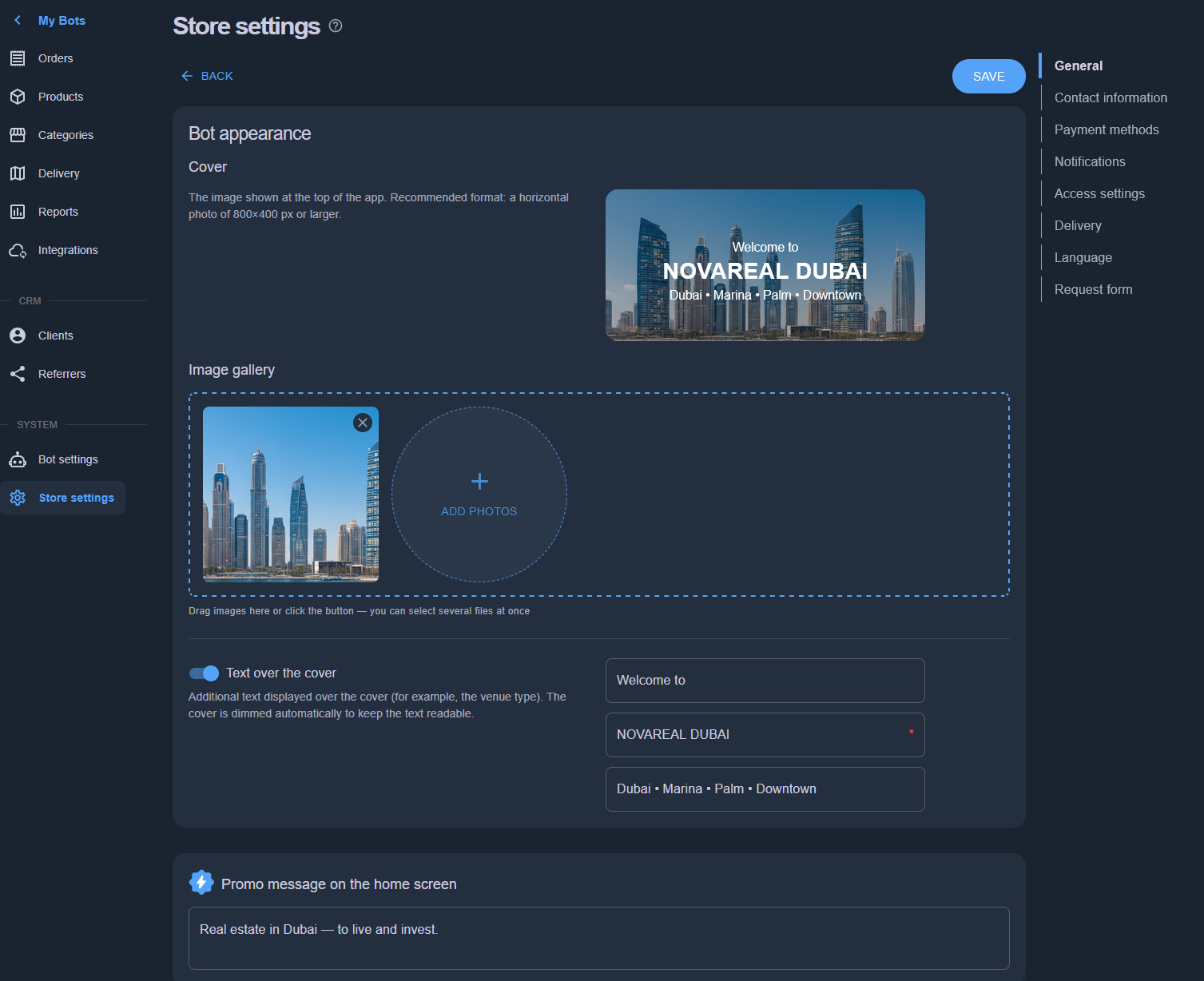
¶ General
Upload a background image for the bot header. You can overlay your own text on top of the image. Upload several images for an automatic slideshow in the bot header.
¶ Contact information
Set your phone number, legal address, website, and more. This information is displayed in the bot menu.
¶ Payment methods
Enable the payment methods that suit you:
¶ Cash payment
Payment to the courier upon delivery
¶ QR payment
Insert the QR code of your bank account — you can get it in your banking app, in your account details. You will receive payments directly to your account, but you will have to change the status of paid orders manually.
If you have an acquiring service, you can insert a payment link with your details.
¶ Stripe (online payment)
Accept bank cards worldwide (except Russia). Funds go directly to your Stripe account. There are two ways to connect:
- Stripe Connect (recommended). Click “Connect Stripe” in the method card — you will be taken to Stripe, where you sign in to an existing account or create a new one (5–10 minutes: company details, payout account). After returning to the admin panel the method is enabled automatically. No keys are required.
- Your own Secret key. If you prefer to use your Stripe account directly: in the Stripe Dashboard open Developers → API keys, copy the Secret key (sk_live_…) and paste it into the “Secret key” field. The “Webhook signing secret” field is optional — payment statuses are updated automatically.
The Stripe Connect status is shown in the method card: if onboarding is not finished, click “Continue setup in Stripe”. You can disconnect the account at any time with the “Disconnect” button.
¶ Other payment methods
Self-explanatory by name
¶ Notifications
Choose which Telegram notifications you want to receive. These notifications are sent only to you as the shop manager. If the shop has several managers, each manager configures notifications individually.
Enabled by default: new client message in chat, New order created, Order confirmed. Read more about order statuses.
If you have the Reply Bot configured, all client messages will arrive in a dedicated group where clients are organized into topics. We recommend setting up the Reply Bot — especially since it's free.
¶ Access settings
Adding a new manager for your shop is easy. Pick a person from your shop's client list. If you can't find them in the client list, ask them to open your bot's link and press the Start button. Anyone who presses Start in the bot becomes your client.
The number of managers is limited by your pricing plan https://appexbots.com/pricing
If your bot has several points of sale (a chain), you can limit a manager's scope by assigning specific managers to each point of sale.
¶ Delivery
Set the delivery types for your shop by selecting at least 1 option:
- Courier or delivery service. Configure delivery types and cost calculation in the Delivery section
- In restaurant — for those ordering online while sitting in the restaurant
- Pickup — the client picks up the order at the specified address
¶ Language
Set the main country, currency and available languages in bot. Set 1 default language for clients with different localization to fall back to default shop language. We provide several bot languages, if yours is missing please contact us in chat @appexbots_bot.
¶ Request form
For Leadgen (Request) bot you could add more fields into request form, set format and mark them as required. Be free to customize your bot for the business needs.